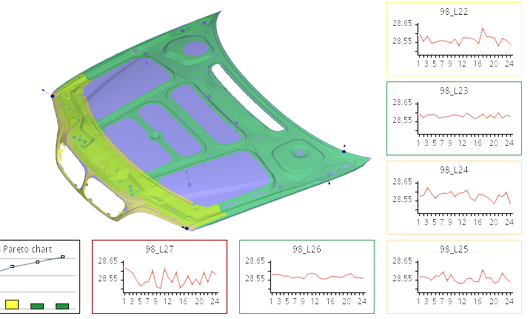
Chart area
- Composite charts - charts can have other charts inside them
- Gradient, hatch painted chart background
- Image painted (center/stretch/tile) chart background
- Transformation tree - custom transformations can be applied to different chart objects and subcharts (translate, rotate, shear)
- Automatic chart fitting into its viewport (dynamic or one-shot)
- Chart scrolling/zooming in specified directions
- Mouse scrolling/zooming of chart area
- Automatic over-zoom protection
- Intuitive zoom/scroll indication
- Drag-and-drop subcharts mouse interaction
|
Labels and Annotations
- Configurable axis and series labels
- Unrivalled label layouting (drop-out, multiline, auto-rotated, progressive scattering, configurable trimming) - labels do not overlap even on small charts, with complex descriptions
- Data value labels
- Data percentage labels
- Chart title
- Mouse tooltips
- Vertical/Horizontal marker lines with labels
- Annotations placed anywhere in the chart
- Highly configurable chart legend
|
Legend
- Legend inside chart or as a separate control
- Autogenerated images for Legend entries
- Gradient, hatch painted Legend background
- Image painted Legend background (center/stretch/tile)
- Entries arranged into columns or rows
- Entry size adjustment according to layout method
- Legend picking and moving
- Legend Entry picking
- Configurable Legend Entry text alignment
- Configurable Legend Entry icon alignment
- Series highlighting via Legend Entry drill-down
|
Series
- Charts in rectangular or polar coordinates
- Any number and type of series in a single chart
- Connected, scatter, spline, stepped series types
- Bar (horizontal/vertical, lifted, stacked, grouped, custom shape), event series types
- Pie (flat/pseudo3D, slices moved outside) series type
- Financial (OHLC, candle) series types
- Gradient, hatch painted series
- Image painted series (center/stretch/tile)
- Image, polygon markers for data points
- Special paint, color, shape for individual values in series
- Tooltips for series values
- Series stacking
- Automatic update on data change
- Data value, percentage labels
- Effortless switch of series type
|
Axis
- Unlimited number of X and Y axes
- International date and time format
- International numeric and exponential format
- Automatic scaling
- Axis subscales
- Configurable scale and subscale font and label color
- Configurable axis position
- Configurable axis title position
- Unrivalled axis labels layouting (drop-out, multiline, auto-rotated, progressive scattering, configurable trimming)
- Axis stacking
- Calculated axis values
- Logarithm axes
- Interactive scrollbars on axes
- Axes for rectangular or polar charts
|
Other features
- Direct integration with ADO.NET
- Data filtering
- Data sources sharing
- Data sources combining
- Real time updates of all chart objects
- Programmable mouse interaction events
- Interactive demos and source code examples (include most of the charts from the gallery)
- Comprehensive introduction, MSDN-style and IntelliSence documentation of the library
- Direct integration with other windows controls, design time support
- Moderate number of highly configurable classes
- Extensive visual settings
- Default settings for common uses
|